|
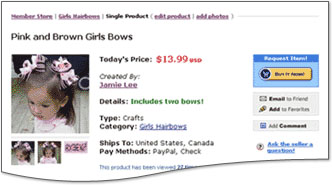
The Web Store facility on SermonAudio is simply a way to "put on display" any products you wish to sell.
Payments for individual products are handled independently by the web store owner and does not involve SermonAudio.
SermonAudio reserves the right to remove entries at our sole discretion.
|
| 
|
|
Member ID:
|
|
|
Password:
|
|
|
|
|
Product Title:
|
Please do not use quotation marks in any titles.
|
|
Product Subtitle: |
|
|
|
|
|
Author/Producer:
|
|
|
|
|
Currency Type:
|
|
|
Product Price:
|
|
Category:
|
Choose the most appropriate category to help buyers find your item.
|
Product Type:
|
|
|
Additional Info:
|
Optionally, you can specify the size or length of this product.
For books, specify the number of pages.
For multi-volume books, specify the number of volumes.
For audio & video, specify the number of minutes.
For all else, specify the size, weight, or any other detail.
|
ISBN #:
|
|
|
|
Description:
You can give a brief outline,
description, or overview of the
product in the area provided.

BASIC HTML Tags OK.
|
|
|
|
|
Optional Web URL:
|
TIP! Specify a URL and UN-select all payment options (below) in order to
direct visitors to your own website store to make a purchase.
|
|
|
|
Payment Methods:
|
|
|
|
|
PayPal Account:
|
If you have PayPal selected as an accepted Payment Method (above)
you must specify your PayPal Email Account name that will allow
the buyer to purchase your products with a direct PayPal link.
Reminder: Don't forget to set up the shipping charges for your
products in the My Profile section on your PayPal account.
|
|
|
|
Will Ship To:
|
United States
Canada
United Kingdom
Europe
WorldWide
|
|
|
|
Final Steps:
|
• Please press the Create Product button to create the new product.
• After creating the product, you can attach photos to the product.
• Use the edit link to edit or delete the product details.
|